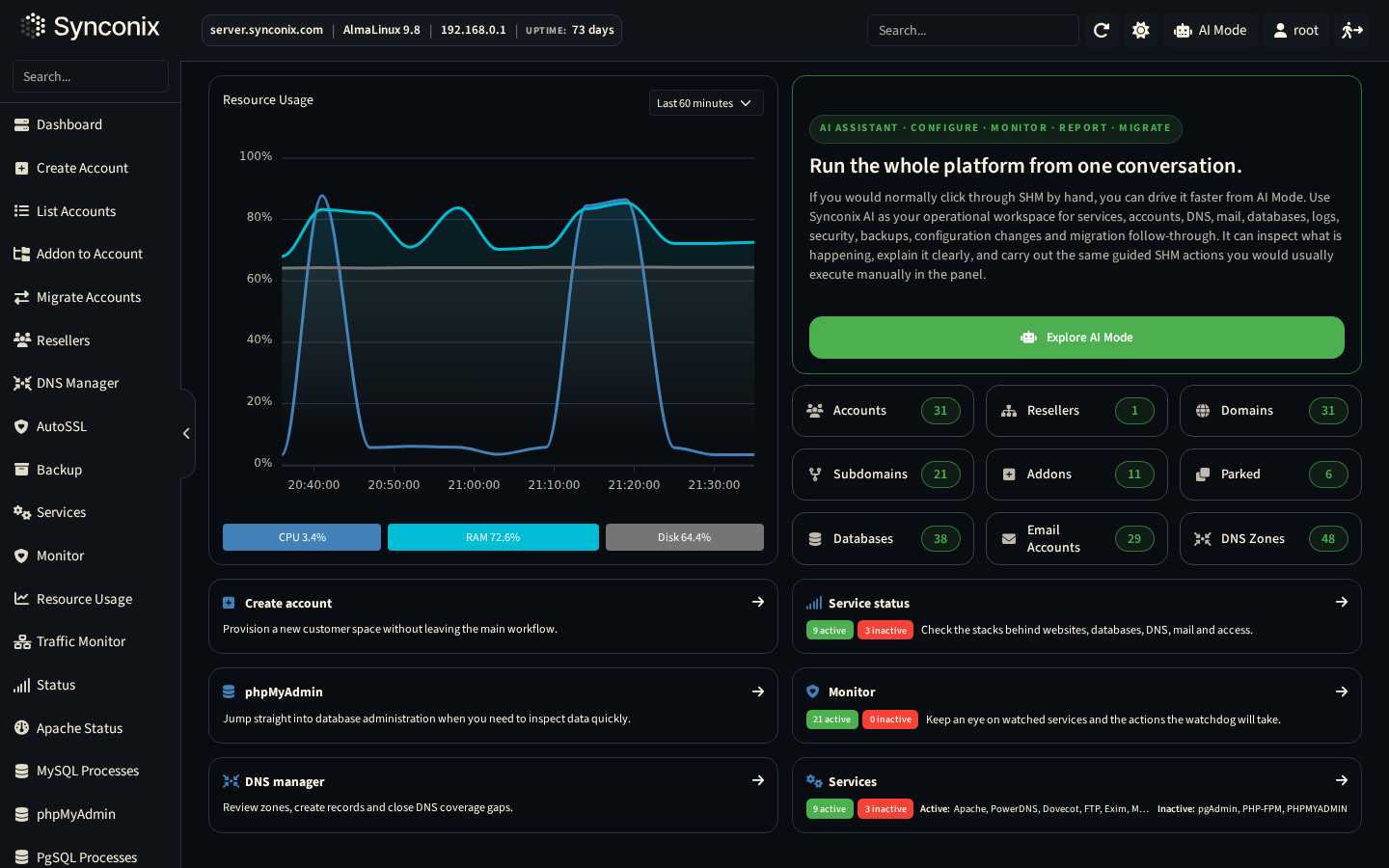
Root, reseller and account workspaces
Give each role the right level of operational control without exposing unnecessary power.
A modern server, account, website, mail, DNS, backup, security and AI operations platform for hosting providers that need a serious alternative to legacy control panels.
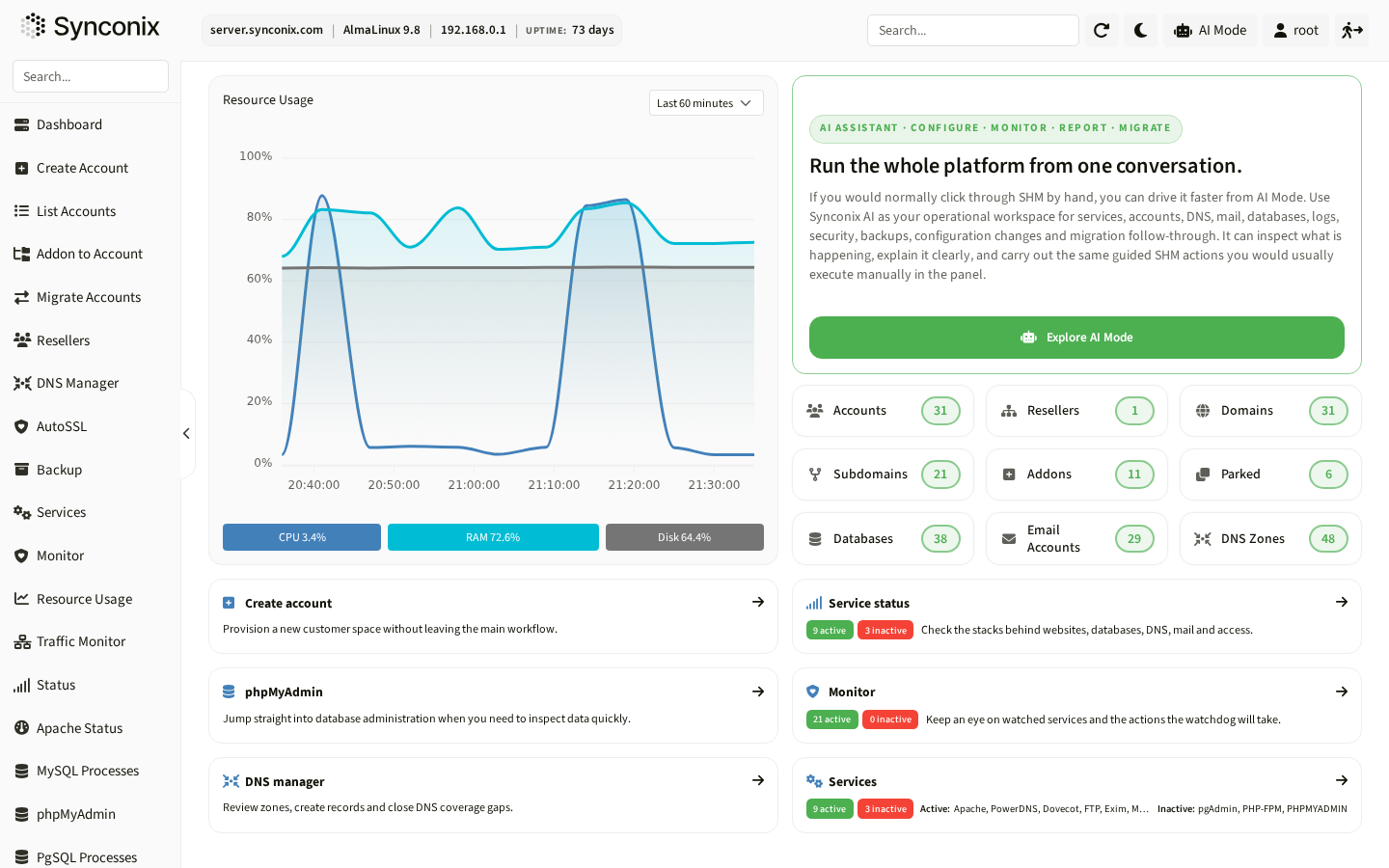
Give each role the right level of operational control without exposing unnecessary power.
AI Mode is positioned as an operational assistant that uses documented platform capabilities and bounded actions.
Account isolation, access policies, audit visibility, backups and restore workflows support production hosting teams.
Synconix Hosting Manager is presented through the workflows operators need to perform: setup, control, diagnosis and recovery.
Provision accounts, domains, databases, mailboxes, FTP users, SSL and app runtimes from role-aware views.
Control access, service policies, firewall, ModSecurity, antivirus context and account-level security settings.
Review logs, resource usage, service health, DNS, SSL, mail delivery and application state before acting.
Use restore points, backup logs, safe repair workflows and clear rollback context when production changes fail.
SHM brings hosting infrastructure, account management, service state, runtime configuration, security controls, backup workflows and support diagnostics into one product surface. Teams can see what is active, what is assigned, what changed and what can be safely repaired.
SHM gives operators visibility and control over the web serving model behind each hosting environment, including NGINX + Apache delivery, standalone service modes, Apache modules, process model and account-level website context.
Use NGINX reverse proxy with Apache backend where the environment requires hybrid delivery.
Learn moreOperate Apache-only service profiles where compatibility and .htaccess behavior are required.
Learn moreRun NGINX-only web delivery for environments built around NGINX service handling.
Learn moreExpose the web server capability layer through service settings, modules and process model awareness.
Learn moreConnect website state with domains, document roots, SSL, logs, runtime and backup scope.
Learn moreShow active service status, restart impact and operational context before changes.
Learn moreHosting Manager gets the operational showcase here, with examples tied to accounts, services, app runtime, backups and audit context.
Bring service health, account limits, DNS, backup and deployment context into one troubleshooting view.
Use role checks, package limits and confirmation steps before touching production account settings.
Pair restore points with exclusions so teams can repair files without touching unrelated services.
Synconix AI is designed for bounded operational work. Ask it to change DNS, repair hosting, restore files or secure an account; it answers with the solution and shows the exact changes it made.
Done. I changed the nameservers, kept the existing MX, SPF and DKIM records attached to the domain, and created a rollback point before applying the update. Mail routing still resolves to the previous mail host, so the website can move without interrupting inbox delivery.
Each section focuses on what the product lets teams do in the interface: the operating surface, the controls, the context and the recovery path.
Root-level tools for teams that manage servers, services, accounts and infrastructure settings.
A safer account-level panel for the work website owners and support teams do every day.
AI is presented as an operator workflow, not a decorative chatbot.
The Engine API is a first-class platform capability for UI, CLI, AI and integrations.
Each focus area is presented as a practical workflow with visible state, permissions, logs and recovery paths.
Expose WordPress, PHP, Node.js and container workflows without becoming a website builder.
Connect domain configuration, certificate state and mail delivery in one operating model.
Give providers enough service context to explain incidents and choose the next action.
The answers stay concrete and product-led, without promising certifications or guarantees that are not part of the public materials.
No. The positioning covers shared hosting, reseller hosting, managed hosting, application hosting and on-premise infrastructure teams that need a browser-based operations layer.
AI Mode is described as a bounded operational assistant that can use documented platform capabilities to help diagnose issues, prepare safe actions and guide support workflows.
No. The public copy stays feature-proof and focuses on access control, isolation, audit visibility, backup and recovery workflows.
Try Synconix for free, then contact us when you want to review server, account, website, mail, DNS, backup, security and AI workflows against your own provider model.